
Bookly PRO 10.6 Free Download — Scheduling Tests & Nulled FAQ
Bookly Pro 10.6 with the 28.6 base: real slot-overlap and customer email tests, original screenshots, exact package hashes and a dated add-on bundle.
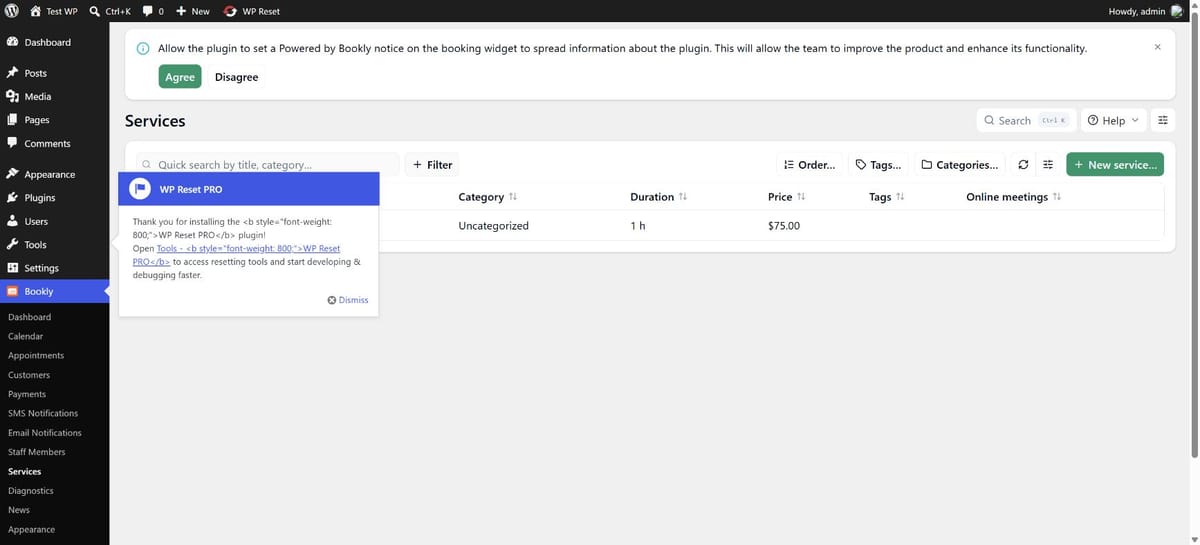
Bookly PRO v10.6 Free Download
Test record: 2026-10-17 · WordPress 7.1.3; PHP 8.4.26; MySQL 8.4.11; Twenty Twenty-Five 1.5. Bookly base 28.6 + Pro 10.6; native slot finder, validator and administrative save boundary; actual customer-form checks. Isolated Basic Auth/noindex lab, synthetic data only; external HTTP, real email and payment delivery blocked.
Bookly PRO 10.6: what the download and this test cover
Bookly turns a WordPress site into an appointment scheduler with services, staff availability and customer booking forms. Our test used the GPLHub-sourced Bookly Pro 10.6 add-on together with its supplied Bookly 28.6 base plugin. We configured a one-hour, $75 consultation and checked what happened when part of the working day was already occupied.
The useful question is not whether the plugin activates. It is whether the time offered to a customer fits the service duration, respects an existing appointment and rejects incomplete booking details. We checked the native slot finder and then opened the actual customer form. This is a bounded scheduling exercise, not a load test or a payment-provider review.
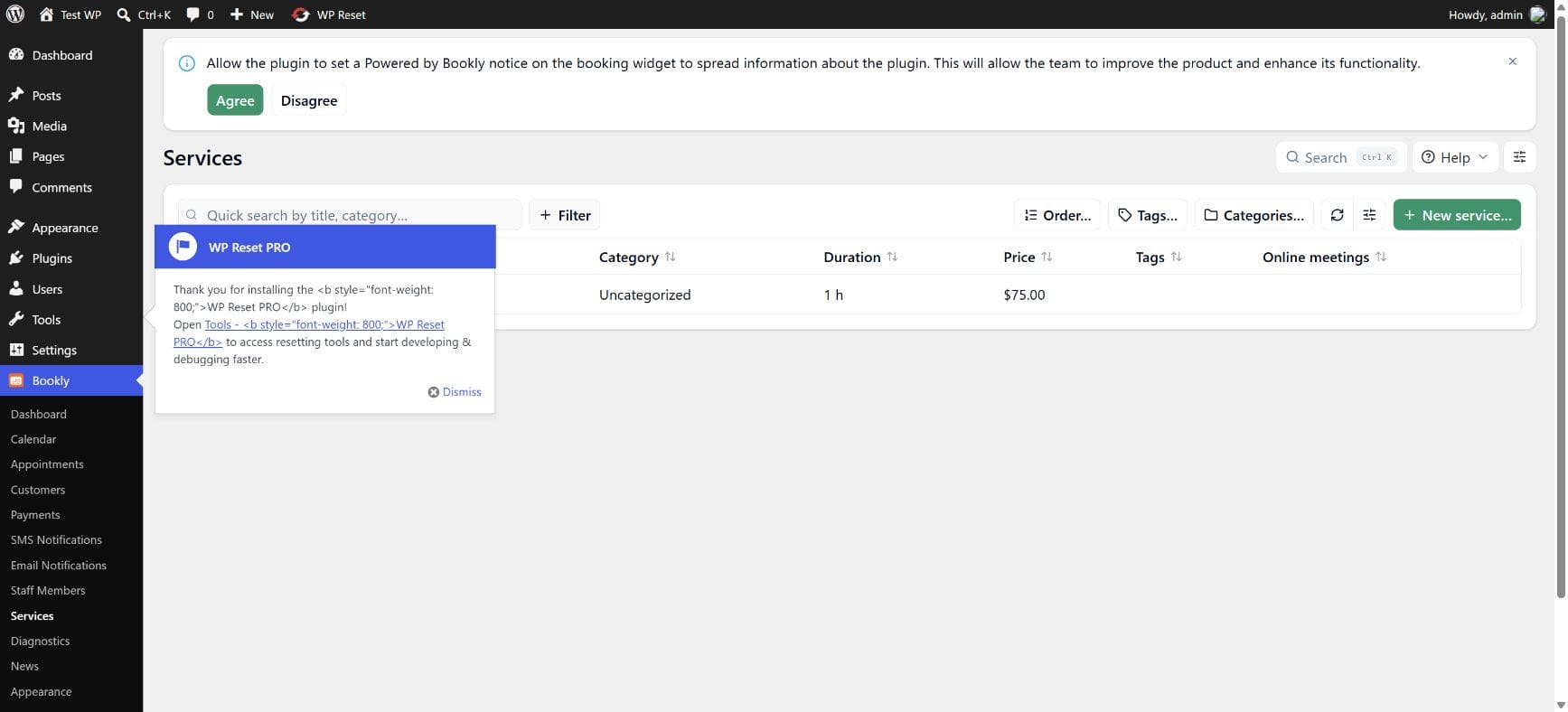
The reproducible scheduling fixture
| Setting | Test value |
|---|---|
| Main / base | Bookly Pro 10.6 / Bookly 28.6 |
| Service | Studio planning session; 60 minutes; $75 |
| Staff | Demo Consultant; capacity 1 |
| Schedule | 09:00–12:00 every day, UTC |
| Slot grid | 30 minutes |
| Occupied appointment | 20 October 2026, 10:00–11:00 UTC |
| Scope | Native PHP and real browser form; no external calendars or payments |
Every name and email belongs to a synthetic fixture. The staff member had one assigned service and no connected calendar. We inserted the occupied appointment through Bookly’s own entity layer and marked its synthetic customer appointment approved. This lets the availability check cover a real stored booking instead of merely drawing an unavailable time in a mockup.
The test installation is private, uses an outer HTTP authentication boundary and sends noindex response headers. WordPress mail and external HTTP integrations were suppressed throughout. No customer received a notification and no payment was attempted.
An existing booking removed three conflicting start times
| State | Available starts (UTC) |
|---|---|
| Before occupied appointment | 09:00, 09:30, 10:00, 10:30, 11:00 |
| After approved 10:00–11:00 appointment | 09:00, 11:00 |
The disappearance of 09:30 matters: a one-hour service starting then would overlap the occupied appointment even though its start is earlier than 10:00. The 11:00 start remained available because it begins at the existing booking’s end. A start at 11:30 was absent even before the booking because the one-hour service would finish beyond the 12:00 schedule.
The native finder returns slot grid ranges internally; we compare their start times, not the short grid range’s end with the full service duration. In the actual booking form, choosing the same service, staff member and date offered 09:00 and 11:00 on that day, matching the native result.
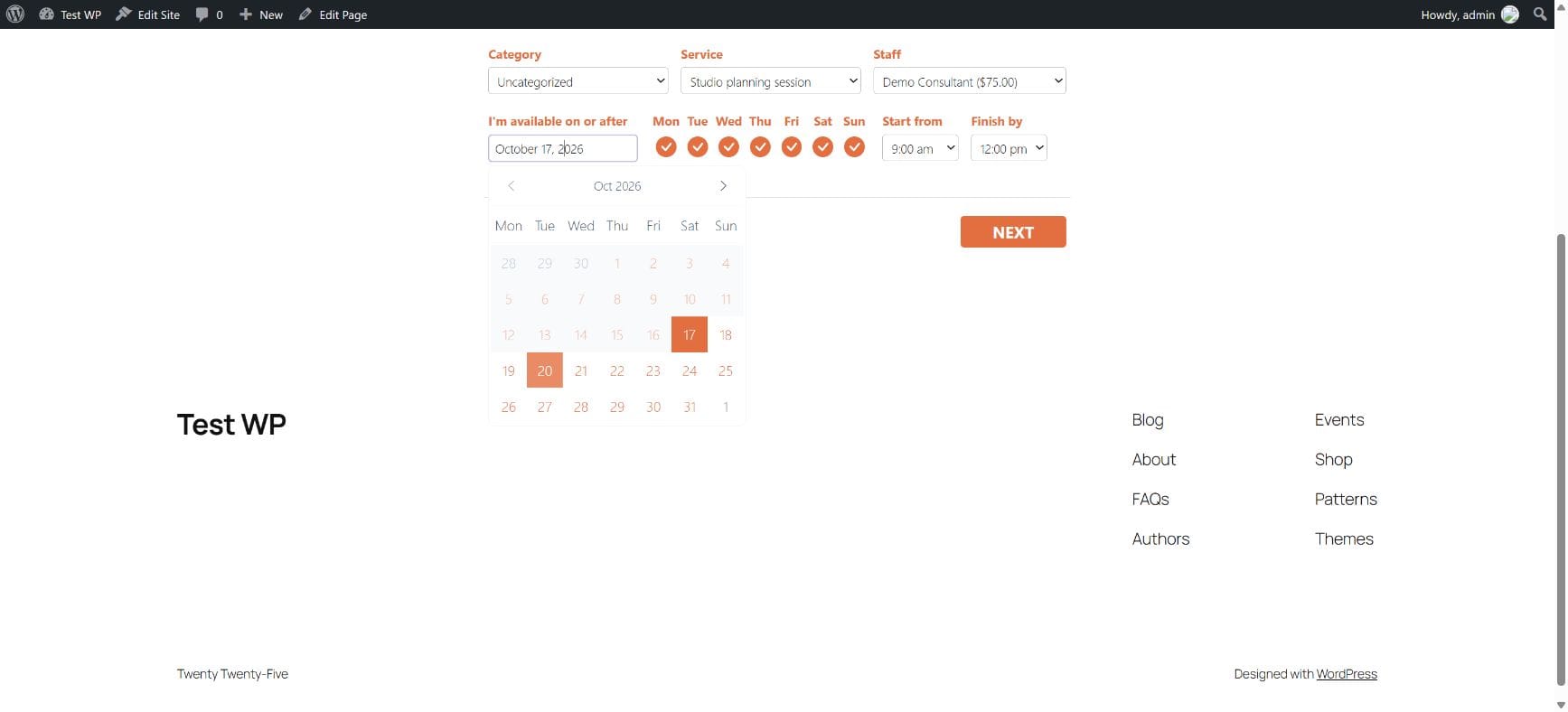
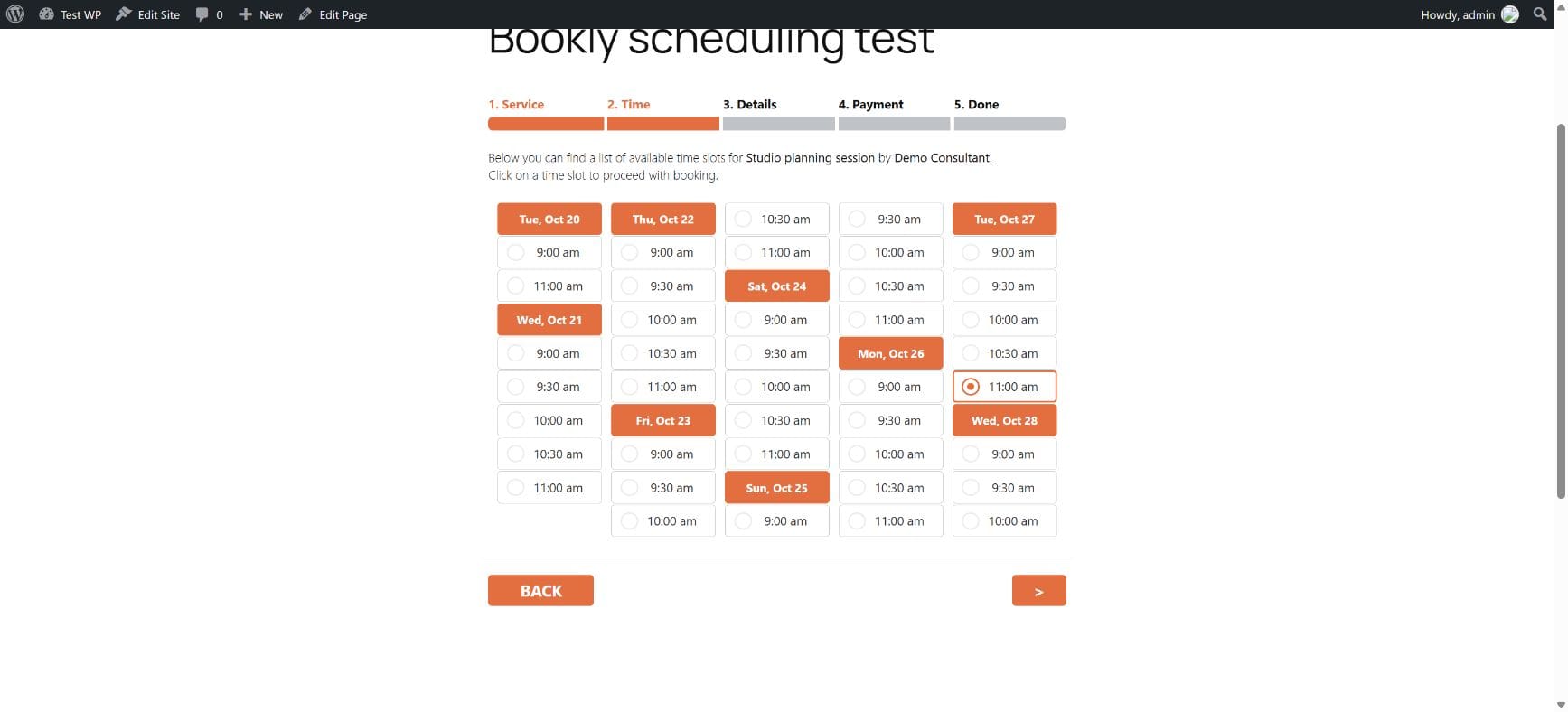
This verifies one capacity-one availability scenario. It does not establish how simultaneous submissions are serialized, whether another calendar can create a race, or how group capacity and optional scheduling add-ons behave. Those require separate tests.
Customer email and zero-duration boundaries
| Input | Observed result |
|---|---|
| Empty required email | Please tell us your email |
| invalid-email | Invalid email |
| [email protected] | No email validation error |
| Start and end both 11:00 | Save rejected: End time must not be equal to start time |
In the real customer form we selected the available 09:00 consultation, entered Demo Customer and a fictional phone number, and supplied invalid-email. Clicking Next kept the form at Details and displayed Invalid email. That browser observation supports the separate native email-validator result; we did not progress through payment or confirm a new customer appointment.
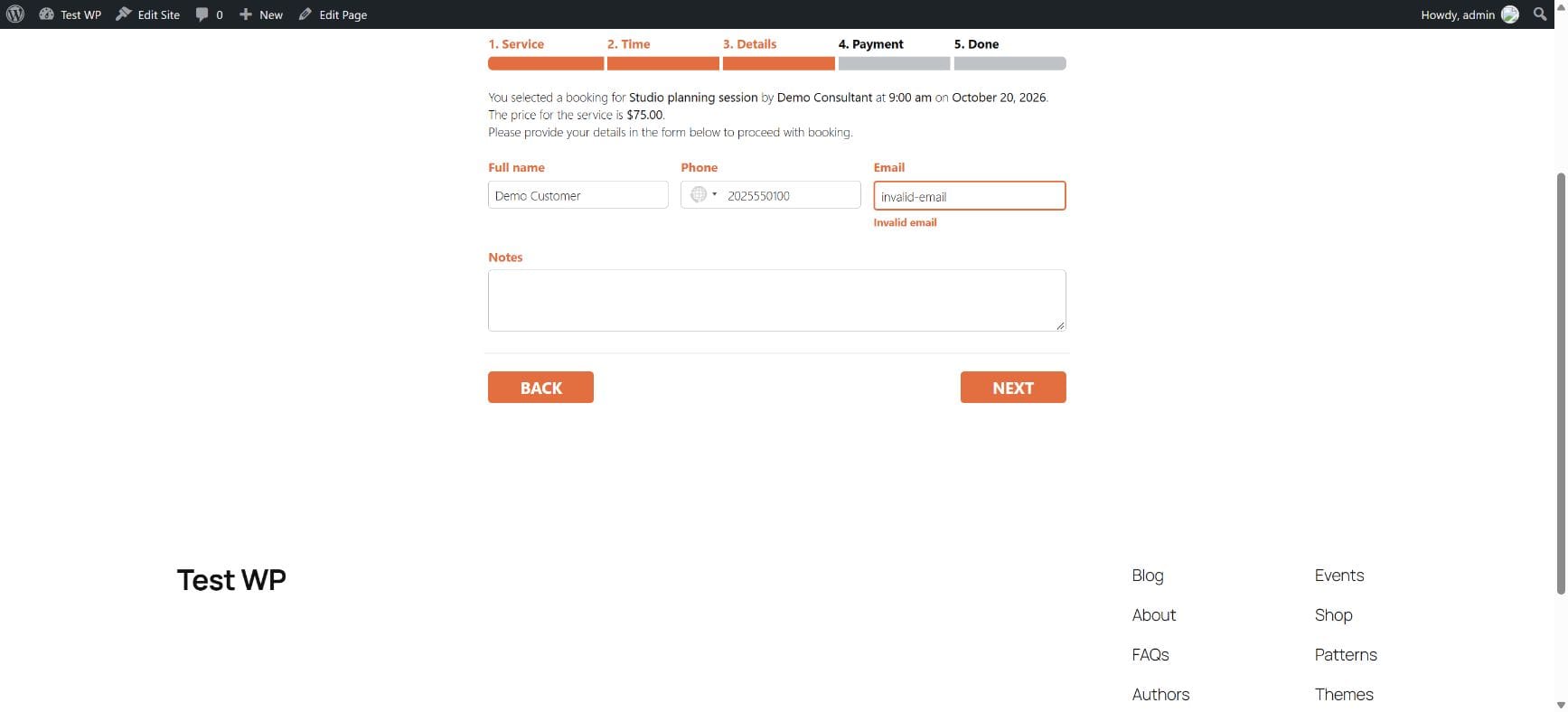
We separately called the native appointment save routine with the start and end set to the same instant. It returned success=false and the interval error without creating an appointment. This is an administrative save boundary, distinct from the customer form’s email check. It is not a claim that every possible invalid date, overlapping administrator override or timezone transition was tested.
Installing the main add-on and selecting additional components
- Use a disposable staging copy and record the WordPress, PHP, database, theme and plugin versions before importing real bookings.
- Extract the All Addons ZIP first. Install the individual Bookly 28.6 base ZIP from its dependencies folder, then install the separate Bookly Pro 10.6 main ZIP.
- Create a service with its duration and price, add a staff member, assign the service to that person, and set their working hours.
- Add a page containing the native [bookly-form] shortcode. Test as a customer, including a day with an existing appointment and a missing required detail.
- Install only the extra individual add-ons you need. Their presence in the inventory does not prove compatibility with your other plugins or enable an external account.
The dated companion archive contains 47 separately inventoried add-on ZIPs and one base dependency. Names such as Stripe, Outlook Calendar, Group Booking and Special Days describe additional components, not features exercised in this run. The inventory preserves each selected archive’s hash and source label, and the outer archive is not itself installable as one WordPress plugin.
Repeat the test without copying our private installation
Create the service, staff member and schedule listed above, check the five initial start times, then create an approved capacity-one appointment at 10:00–11:00. Reload the customer form in a fresh request and compare the remaining starts. For a different test date, keep it in the future and within the booking horizon. The important boundary is the overlap, not the calendar date.
The accompanying reproduction fixture and recorded results retain the synthetic configuration. Run any developer fixture only in a disposable staging installation after adjusting its explicit lab guard. Do not point a reset or fixture script at a live booking database. The results are an observation record, not an import file or a benchmark.
Where this test stops, and when to use something simpler
Bookly is relevant when appointments depend on people, working hours and service duration. If you only need a visitor to send a preferred date for manual confirmation, a simple request form may be easier to maintain. If an external calendar is the authoritative source of availability, test synchronization and cancellation behavior before depending on it; this run used no calendar integration.
We did not test online payment, notification delivery, timezone changes or daylight-saving transitions, concurrent booking races, rescheduling, cancellation, group booking, cloud services or any of the 47 add-ons. We also did not compare this third-party ZIP byte-for-byte against a trusted vendor archive. The successful checks establish the listed local behavior of this particular main/base pair.
This page records the supplied package and our 17 October 2026 exercise. It does not claim that 10.6 is the newest release or reproduce a vendor changelog as if we had tested every listed change. A future ZIP with a different hash requires a new package record and relevant repeat checks.
Bookly PRO Nulled FAQ
“Nulled” usually describes software whose activation or licence checks have been removed or altered; the word alone does not determine whether a particular use is lawful. GPL-covered code can be studied, modified and redistributed subject to its licence conditions, but this does not grant access to a developer’s account, hosted services, updates or support. We discuss the term here to answer a common search question; the download details separately identify the package source and tested version. Any plugin or theme obtained through an unverified third party can contain unwanted changes or malicious code, whether or not it is labelled “nulled”. Before installing it, you can ask ChatGPT or Claude Code to inspect the extracted source for suspicious behaviour without executing it or sharing credentials. Treat that review as an additional check: AI can miss harmful code or flag harmless code, and a clean result is not a security guarantee.
Does this download include a vendor account? No. A ZIP and its local behavior do not provide a developer account, automatic updates, priority support or hosted services. The GPLHub source label uses activation-related wording; we have not independently established vendor byte identity or a clean-package guarantee.
Why install a free base plugin before Pro? In this tested package, the main file identifies itself as Bookly Pro (Add-on). The actual working setup used the separate Bookly 28.6 base and Pro 10.6 together. The base is identified as a dependency in the bundle.
Do the missing 09:30, 10:00 and 10:30 starts prove double booking is impossible? No. They prove the stored approved appointment influenced the availability query and the customer form in this scenario. Simultaneous requests and external calendar races were not tested.
Can the combined All Addons ZIP be uploaded as one plugin? No. Extract it, consult its inventory and install only the individual components you need.
Exact download record
Source: GPLHub. Package version 10.6. Main ZIP: 4274069 bytes. SHA-256:
7db76d2f87694c66a29ae8cc0b501324b1d2f0cb2948be573e32afa11d17d098
Companion ZIP: 17632028 bytes. SHA-256:
abb4e02278c4524d7913199e68ab81ba1af15222125e380209654cf9d604c117
GPLHub-sourced package. No trusted same-version vendor ZIP comparison or security audit was performed for this publication. Activation and the bounded functional tests below do not establish vendor byte identity, account entitlement or guaranteed safety.
Included add-ons and dependencies (48 archives)
- Bookly 2Checkout (Add-on) 3.3 (addon)
- Bookly Advanced Google Calendar (Add-on) 3.1 (addon)
- Bookly Apple Calendar (Add-on) 1.0 (addon)
- Bookly Authorize.Net (Add-on) 3.5 (addon)
- Bookly Cart (Add-on) 3.5 (addon)
- Bookly Chain Appointments (Add-on) 2.6 (addon)
- Bookly Collaborative Services (Add-on) 4.2 (addon)
- Bookly Compound Services (Add-on) 4.5 (addon)
- Bookly Coupons (Add-on) 5.6 (addon)
- Bookly Custom Duration (Add-on) 2.9 (addon)
- Bookly Custom Fields (Add-on) 5.5 (addon)
- Bookly Custom Statuses (Add-on) 2.8 (addon)
- Bookly Customer Cabinet (Add-on) 6.9 (addon)
- Bookly Customer Groups (Add-on) 4.3 (addon)
- Bookly Customer Information (Add-on) 4.1 (addon)
- Bookly Deposit Payments (Add-on) 4.0 (addon)
- Bookly Discounts (Add-on) 2.3 (addon)
- Bookly Events (Add-on) 1.8 (addon)
- Bookly Files (Add-on) 4.3 (addon)
- Bookly Gift Cards (Add-on) 1.4 (addon)
- Bookly Google Maps Address (Add-on) 2.3 (addon)
- Bookly Group Booking (Add-on) 3.5 (addon)
- Bookly Invoices (Add-on) 5.9 (addon)
- Bookly Locations (Add-on) 6.8 (addon)
- Bookly Mailchimp (Add-on) 1.7 (addon)
- Bookly Mollie (Add-on) 3.8 (addon)
- Bookly Multiply Appointments (Add-on) 3.0 (addon)
- Bookly Multisite (Add-on) 3.3 (addon)
- Bookly Outlook Calendar (Add-on) 4.5 (addon)
- Bookly Packages (Add-on) 7.9 (addon)
- Bookly PayPal Checkout (Add-on) 2.8 (addon)
- Bookly PayPal Payments Standard (Add-on) 3.4 (addon)
- Bookly Payson (Add-on) 3.7 (addon)
- Bookly PayUbiz (Add-on) 3.3 (addon)
- Bookly PayU Latam (Add-on) 4.0 (addon)
- Bookly Ratings (Add-on) 3.3 (addon)
- Bookly Recurring Appointments (Add-on) 7.1 (addon)
- Bookly Service Extras (Add-on) 6.8 (addon)
- Bookly Service Schedule (Add-on) 3.6 (addon)
- Bookly Special Days (Add-on) 5.3 (addon)
- Bookly Special Hours (Add-on) 4.0 (addon)
- Bookly Square payment (Add-on) 1.4 (addon)
- Bookly Staff Cabinet (Add-on) 6.2 (addon)
- Bookly Stripe (Add-on) 5.1 (addon)
- Bookly Tasks (Add-on) 2.7 (addon)
- Bookly Taxes (Add-on) 3.7 (addon)
- Bookly Waiting List (Add-on) 4.0 (addon)
- Bookly 28.6 (dependency)
Free package downloads
Bookly PRO v10.6 DownloadBookly PRO All Addons DownloadAll add-on archives listed with this GPLHub product on 2026-10-17, with duplicate and superseded copies removed; required base plugins are identified separately. This dated snapshot does not claim to include every official add-on ever released. Extract the outer companion archive first, then install only the individual plugin ZIPs you need.